
Windows on Arm in RAD Studio
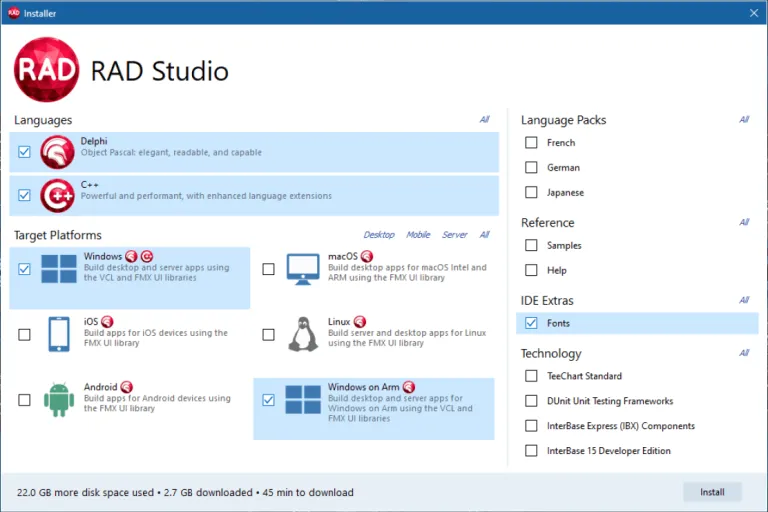
RAD Studio supports Windows on Arm (WoA) through Delphi's Arm64EC toolchain, giving teams a practical way to target modern ARM-based Windows devices without rewriting their applications.
Why WoA matters beyond the compiler
Windows on Arm is not just another target checkbox. It reflects a broader shift in enterprise endpoint strategy:
- Device strategy is changing: procurement teams increasingly evaluate battery life, thermals, always-on connectivity, and AI-capable hardware classes.
- Mixed fleets are becoming normal: IT teams are planning for x64 and Arm devices to coexist, especially during refresh cycles.
- Compatibility expectations are rising: business users expect line-of-business apps to "just work" on whichever managed Windows device they receive.
For software teams, the practical implication is simple: if WoA readiness is postponed until a major rollout, timelines become constrained by dependency and packaging surprises. Starting validation early keeps the transition controlled, predictable, and low risk.
Why this is important
- You can build for Win32, Win64 (x86-64), and Win64 (Arm) from the same codebase.
- Arm64EC supports a phased adoption path where mixed dependency scenarios are more manageable.
- Native WoA builds help you align with new Windows device classes while keeping delivery risk low.
What this means for existing projects
For most teams, Windows on Arm is best handled as a progressive extension of modernisation work you are already doing:
- Stabilize your baseline first (Unicode, 64-bit, data access, and third-party compatibility).
- Confirm package compatibility (runtime packages, third-party binaries, native bindings, installers).
- Add a WoA build target and include Arm devices in regression and deployment testing.
First validation pass
- Start with one representative VCL or FMX application and compile for the Arm target.
- Focus first on external dependencies (DLLs, SDK wrappers, drivers, install/update tooling).
- Validate startup time, key workflows, and memory profile on at least one real WoA device.
What RAD Studio specifically provides
- Delphi Arm64EC support in RAD Studio for native WoA executables.
- Incremental migration potential for teams that still depend on x64-oriented components.
- Existing project reuse: many Win64 Delphi applications can be evaluated and moved forward with targeted validation instead of full redesign.
Official references
Native Delphi Arm64EC Toolchain
RAD Studio Florence 13.1 introduces a new native target platform for Delphi: Windows on Arm.
docwiki.embarcadero.com
Announcing RAD Studio 13 Florence Update 1
Embarcadero announcement blog for RAD Studio 13.1, including Windows on Arm positioning and upgrade context.
blogs.embarcadero.com