
Modernising the VCL for the Windows 11 Era
The Visual Component Library (VCL) is unparalleled for native Windows development. It is highly likely that your core software investment resides in a massive, battle-tested VCL application.
A common misconception is that modernizing an aging Windows application requires completely abandoning the VCL in favor of web technologies or entirely new frameworks. This is fundamentally untrue. Today's RAD Studio allows you to incrementally modernize a legacy VCL application so that it looks, feels, and acts like a first-class Windows 11 citizen, requiring only a fraction of the time and cost and zero risk to your underlying business logic.
Here is how you can transform your application's UX/UI and architecture directly within the VCL.
Who this page is for
- Teams with established VCL desktop products targeting Windows 10/11 users.
- Developers who want to modernize UI/UX without rewriting stable business logic.
- Teams evaluating whether to stay on VCL or move specific workloads to FMX.
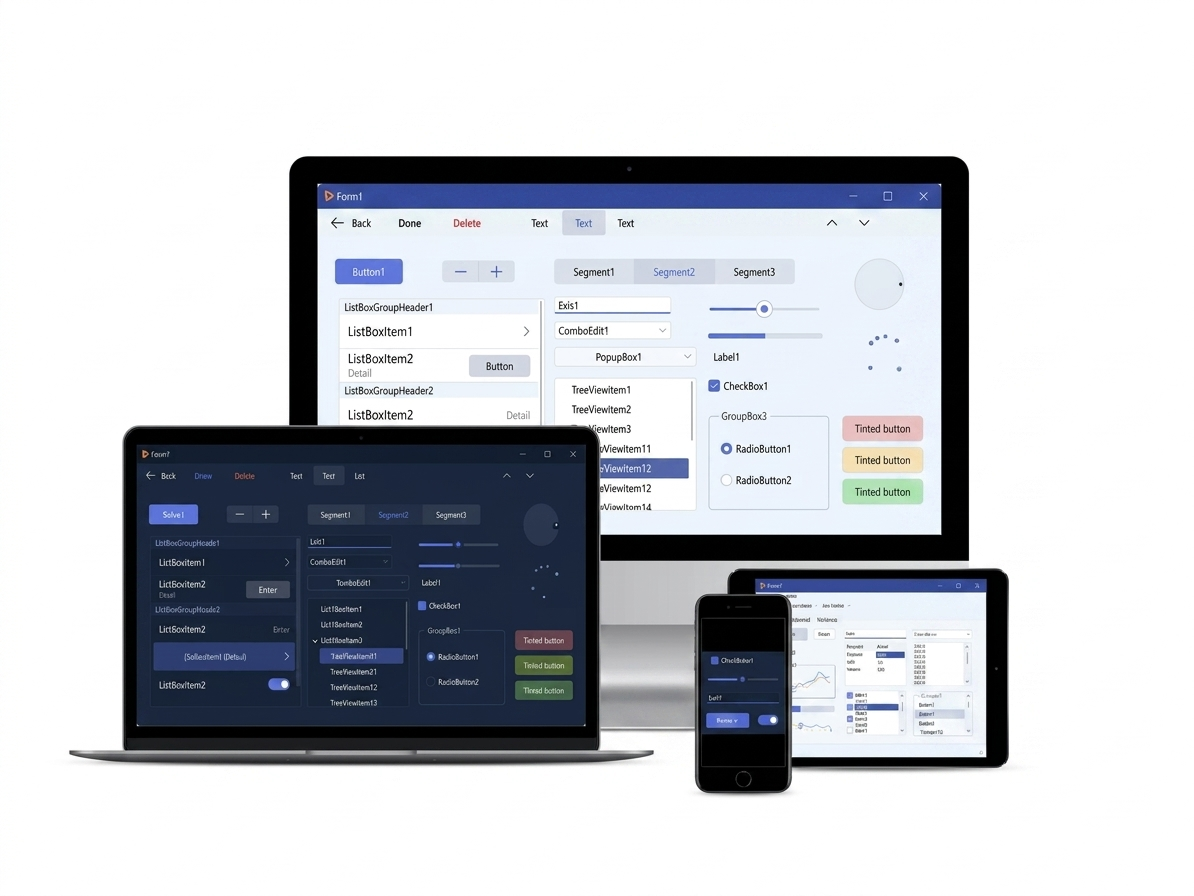
High DPI and Multi-Monitor Support
Back when earlier versions of Delphi were released, a 1024x768 monitor was the standard. Today, your users are running 4K monitors natively alongside lower-resolution secondary displays.
If your legacy VCL app looks blurry, has misaligned text, or fails to resize appropriately when dragged between monitors, it immediately feels outdated to a user. Modern RAD Studio introduces Per-Monitor V2 High DPI Support natively into the VCL.
- Forms and controls correctly scale dynamically across displays of differing pixel densities.
- Image collections and Virtual Image Lists automatically serve the crispest resolution icon for the user's specific DPI setting.
If High DPI is ignored Blurry text, clipped controls, and broken layout transitions between monitors are often interpreted by users as product quality issues, even when core functionality is stable.
High DPI Guide
This guide explains how to support High-DPI displays in your VCL applications and RAD Studio IDE’s support for High-DPI.
docwiki.embarcadero.com
Supporting high-DPI images with the Image Collection and Virtual ImageList components
RAD Studio allows you to include scaling, high-DPI, multiple-resolution images in your Windows VCL applications by using the TImageCollection component in combination with the TVirtualImageList component.
docwiki.embarcadero.com
Modernising MDI-based applications
A large share of established VCL applications are built on MDI (Multi-Document Interface), and keeping them current has become harder than it should be. Microsoft has not kept the MDI stack aligned with High DPI and Windows 11’s display model, so applications that worked flawlessly for years can now show blurry with broken layouts on modern hardware. That is a platform gap, not a reflection of your code quality, but users still expect a sharp, native-looking desktop experience.
From RAD Studio 12.0 onward, the VCL team targeted MDI deliberately to close that gap. In many cases the first step is as simple as recompile on 12.x and retest at your target DPI settings:
- MDI kept viable: work went into High DPI behaviour and VCL styles for MDI-style apps so you can modernise incrementally instead of being forced into a rewrite driven only by regressions in the stock MDI experience on newer Windows builds.
TFormTabsBar: a browser-style tab bar (similar to Chrome and other tab-first apps) you can adopt with little effort, either as a lighter migration path away from classic MDI child windows or as a new tab-centric shell for new work.
Together, that gives MDI-heavy codebases a credible “look current on Windows 11” story without abandoning years of working window management.
TFormTabsBar (VCL)
Reference for the tab-bar control used to present child forms in a modern tabbed UI.
docwiki.embarcadero.com
https://www.youtube.com/watch?v=WRJRqfrBYbQ
VCL UI modernisation walkthrough—see how updated styling, layout, and platform support come together on real applications.
VCL & FMX Styles
You do not need to redesign every form manually to modernize the aesthetic of your application. In VCL, Vcl.Themes.TStyleManager lets you apply built-in styles quickly, and you can also load .vsf styles at runtime (for example from your app folder) to switch themes without recompiling. RAD Studio ships with multiple ready-to-load styles, and the GetIt Package Manager adds many Premium Style options.
In FMX applications, dropping a TStyleBook (or using FMX style resources) and selecting a modern Windows 11 / Dark Mode premium style can refresh the full client area, including standard controls, scrollbars, and visual chrome.
Vcl.Themes.TStyleManager
Official API documentation for managing and switching VCL styles.
docwiki.embarcadero.com
Premium App Styles for RAD Studio
Embarcadero frequently releases new premium styles for subscription customers.
blogs.embarcadero.com
First steps for UI modernisation
- Apply one premium style in a staging branch and test the highest-traffic forms first.
- Prioritize High DPI fixes on dialogs with dense controls and custom drawing.
- Use this pass to standardize modern icon assets before introducing new animations.
Embracing Modern 2D Rendering with Skia
Modern Windows apps are expected to look polished with crisp vectors, fluid animations, sharp text at any DPI. Skia is the open-source graphics engine that Chrome and Android rely on to deliver exactly that, and it can now be integrated directly into the VCL through the Skia4Delphi library.
What does this mean for your VCL app?
- Flawless native support for SVG graphics.
- Silky smooth, hardware-accelerated Lottie animations to create responsive, fluid user experiences.
- Exceptional text rendering and custom text layouts.
Join the Skia4Delphi Telegram Community to see what developers are building.
Skia4Delphi Official Repository
Skia4Delphi is a cross-platform 2D graphics API for Delphi platforms based on Google's Skia Graphics Library. It provides a comprehensive 2D API that can be used across mobile, server and desktop models to render images.
github.com
Expanding with Windows 10/11 Specific Controls
To ensure your application doesn't just look modern but also behaves like a current Windows app, recent VCL versions have introduced dedicated controls that map to current Windows API paradigms:
- Taskbar Management: Integrate with the Windows 10/11 taskbar to show form previews, taskbar icon progress bars, and custom jump-list shortcuts.
- Modern Layouts: Move away from hard-coded positional layouts using modern responsive controls like the
TFlowPanel,TGridPanel, and the incredibly powerfulTRelativePanel. - Bluetooth LE Integration: Native VCL and FMX components wrapper allowing your Windows desktop application to discover and communicate with modern Bluetooth Low Energy IoT devices securely.
Connecting the VCL to the Modern Web (REST & JSON)
A modern Windows desktop app rarely lives in isolation anymore, it usually consumes enterprise data from the cloud.
The modern VCL is built with this in mind. You no longer need to rely on aging COM objects or raw socket programming.
- Native REST Client Library: Easily connect to secure REST services using the built-in
TRESTClient,TRESTRequest, andTRESTResponsecomponents. - JSON Wizard: Paste a raw JSON payload from a web API into the IDE, and RAD Studio will automatically generate the native Delphi classes required to parse and serialize that data structure safely.
VCL vs. FMX: Which should you choose?
As you contemplate UI modernisation, a critical question arises: Should you stay on the VCL or migrate your UI to FireMonkey (FMX)?
Stay on the VCL if:
- Your application exclusively targets Windows desktops.
- Your application relies heavily on Windows specific APIs, underlying
HWNDwindow handles, or Windows-only third-party components. - You are looking for the fastest, lowest-risk path to modernize a massive existing desktop codebase.
Consider FMX if:
- You have an imminent, funded requirement to deploy an identical user experience natively to macOS, Linux or Mobile (iOS/Android).
- You require a completely custom, uniquely rendered user interface that relies on heavily animated, non-standard control styling that goes beyond standard Windows constraints.
Consider a VCL + FMX shared-code approach if:
- You want to explore cross-platform reach without committing to a full UI migration.
- You're ready to start separating business logic from UI concerns, sharing core code between a VCL Windows app and an FMX counterpart built alongside it.
- You want to test market demand on macOS, Linux or mobile before making a larger investment.
- You're thinking about mobile or multi-platform as a future direction and want to start moving towards it incrementally, giving your existing codebase a new lease of life without abandoning what works.
This third path is often overlooked, but it's one of the most pragmatic options available to mature codebases. Your VCL app keeps serving Windows users with full fidelity, while a parallel FMX project sharing the same business logic, data models, and service layers lets you extend your reach platform by platform, at your own pace.
https://www.youtube.com/watch?v=JjM_I8HwXcI
More on modernising legacy VCL applications with current RAD Studio and Windows.
If you are a VCL developer looking to expand into mobile apps, the skills you have learned over the past decades translate directly over to FMX. (See the Going Mobile track).